
Why $15 a Day Isn't Enough for Your Psychology Practice's Google Ads
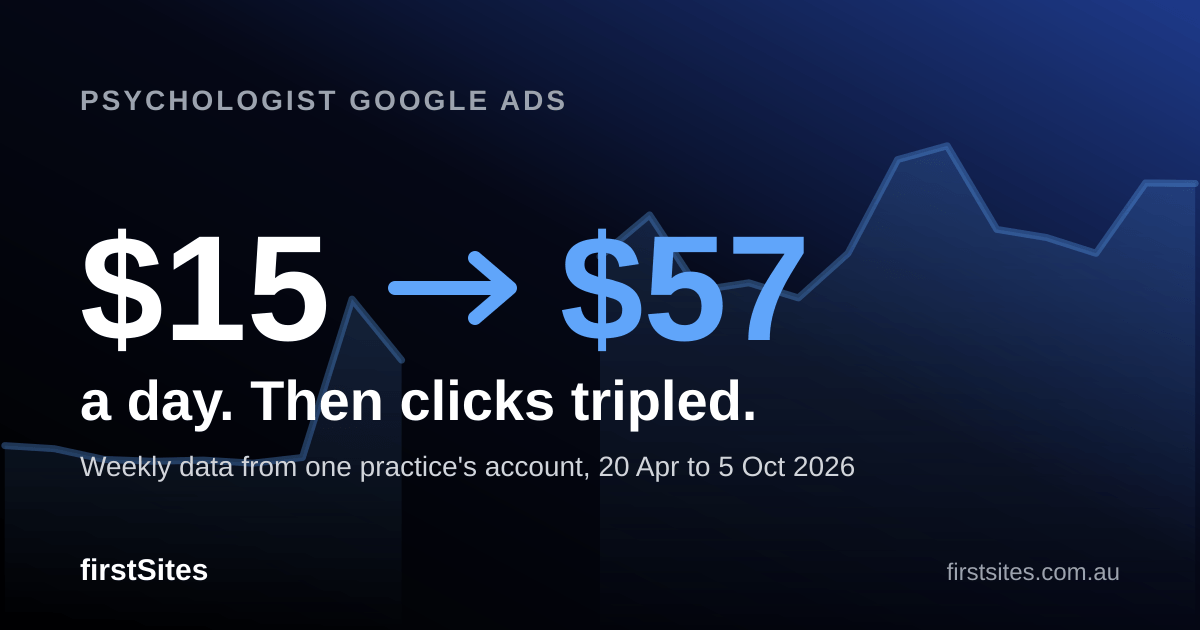
In April I worked with a psychologist to go through their Google Ads data. The campaign was on $15 a day, and we were losing out on searches because the budget wasn't enough to bid on them. I suggested raising it, and we stepped it up to $30, then to $57 about two weeks later. In the 30 days to 4 May the account produced about 3 bookings. In the 30 days to 21 June it produced 13 or 14, at roughly $120 each.
Then the cost of a click roughly tripled. The same $57 a day now buys about 11 clicks instead of 35, and the latest 30 days produced about 7 bookings at around $224 each.
This is the weekly data from that account, 20 April to 5 October 2026, including the parts we can't fully explain. The main thing I took from it is that a daily budget isn't a number you set once. It's the result of a formula, and the inputs move.
Starting point: $15 a day and about 3 bookings a month
The practice was spending $15 a day on Google Ads. In my experience that was enough two years ago. When we reviewed the account's data together in April, it wasn't: in the week of 20 April, 54% of the impressions the campaign was eligible for were lost to budget alone.
I suggested stepping up in two stages, and the practice agreed: to $30 a day on 22 April, then to $57 in the first week of May.
There was no formula behind the $57. It was the figure we agreed with the practice. At $30 a day the account was still losing 49% of its eligible impressions to budget, which suggested there was room to grow, and the practice was hoping for around six bookings a month.
Raising the budget worked, and it changed what we were losing
The effect on volume was immediate. Weekly impressions rose from 1,490 in the week of 20 April to 4,308 in the week of 4 May, and 5,975 the week after. Clicks went from 85 to 264 a week over the same period, at a steady $1.54 to $1.63 a click through May.
Budget-lost impression share, the share of eligible searches we missed because the daily budget ran out, fell from 54% to 8%.
Lost-to-budget share fell from 54% to 8% in May, then topped 50% from July
Share of eligible impressions lost to each cause, by week. Marked: 1 = budget $15 to $30 (22 Apr), 2 = budget to $57 (4 May). Missing points were not reported or not exported.
| Week starting | Lost to budget | Lost to rank |
|---|---|---|
| 20 Apr | 54% | 44% |
| 27 Apr | 49% | 49% |
| 4 May | 8% | 90% |
| 11 May | blank in export | 90% |
| 18 May | blank in export | 90% |
| 25 May | blank in export | 90% |
| 1 Jun | blank in export | 90% |
| 8 Jun | 28% | 64% |
| 15 Jun | 7% | 88% |
| 22 Jun | not exported | not exported |
| 29 Jun | not exported | not exported |
| 6 Jul | not exported | not exported |
| 13 Jul | 66% | 24% |
| 20 Jul | 68% | 24% |
| 27 Jul | 73% | 19% |
| 3 Aug | 82% | 8% |
| 10 Aug | 77% | 10% |
| 17 Aug | 84% | 10% |
| 24 Aug | 90% | 6% |
| 31 Aug | 86% | 11% |
| 7 Sep | 74% | 22% |
| 14 Sep | 68% | 26% |
| 21 Sep | 54% | 40% |
| 28 Sep | 68% | 28% |
| 5 Oct | 69% | 27% |
The surprise was rank. Impression share lost to ad rank went from 44% to about 90%. My reading is that the extra budget let the account into far more auctions, and it lost most of the new ones. Budget decides how many auctions you can enter. Bids and ad quality decide whether you win them. The export can't prove that reading.
Real bookings followed the clicks: about 3 in the 30 days to 4 May, then 13 or 14 in the 30 days to 21 June, at roughly $120 each.
A note on counting. The account's "conversions" column showed up to 22 a week in May. Those were clicks on the Book a Session link, not bookings. In the 60 days to 21 June there were 87 link clicks and 29 completed bookings. Everything in this article uses completed bookings.
The week $57 stopped buying what it used to
In the week of 8 June the average cost per click jumped from $1.63 to $4.15. Clicks on the booking link fell from 22 that week to 2. The cost per click never came back down: from mid-July the weekly average sat between $4.17 and $6.59, against $1.54 to $1.63 in May.
We don't have a clean explanation for the jump. More competition for the same searches, or a change in which searches we were winning, are both plausible. The data can't separate them.
The budget didn't change, but what it bought did. At May's $1.57 a click, $57 a day buys about 36 clicks. At the $5.99 of the week of 5 October it buys about 10.
Cost per click roughly tripled from 8 June: $57 a day now buys about 10 clicks, not 36
Average cost per click by week. Clicks a day = the daily budget ($57) divided by that week's average cost per click. Google can spend more than the daily budget on some days. Missing weeks were not exported.
| Week starting | Average cost per click | Clicks a day at $57 |
|---|---|---|
| 20 Apr | $1.82 | about 31 |
| 27 Apr | $1.77 | about 32 |
| 4 May | $1.60 | about 36 |
| 11 May | $1.57 | about 36 |
| 18 May | $1.59 | about 36 |
| 25 May | $1.54 | about 37 |
| 1 Jun | $1.63 | about 35 |
| 8 Jun | $4.15 | about 14 |
| 15 Jun | $3.18 | about 18 |
| 22 Jun | not exported | not exported |
| 29 Jun | not exported | not exported |
| 6 Jul | not exported | not exported |
| 13 Jul | $4.83 | about 12 |
| 20 Jul | $5.49 | about 10 |
| 27 Jul | $4.29 | about 13 |
| 3 Aug | $4.41 | about 13 |
| 10 Aug | $4.17 | about 14 |
| 17 Aug | $4.88 | about 12 |
| 24 Aug | $6.37 | about 9 |
| 31 Aug | $6.59 | about 9 |
| 7 Sep | $5.26 | about 11 |
| 14 Sep | $5.13 | about 11 |
| 21 Sep | $4.88 | about 12 |
| 28 Sep | $6.00 | about 10 |
| 5 Oct | $5.99 | about 10 |
That feeds straight through to bookings. The 30 days to 21 June produced 13 or 14 bookings at roughly $120 each. The 30 days to 15 September produced 10 or 11. The 30 days to 14 October produced about 7, which on $1,566 of spend is around $224 each. That is close to the roughly $220 per booking I see in other psychologist accounts.
Why people click on Tuesday and book on Wednesday
In the psychologist accounts I manage, clicks usually spike before a booking appears. A typical pattern is 15 clicks to the practice's website on a Tuesday, then the booking on Wednesday.
That is an observation from managing these accounts, not something this account can show. With about 7 bookings in the latest 30 days, there is no daily pattern to measure.
What it suggests is that people rarely book on the first search. They look at a few practices, leave, and search again later. If your ads have run out of budget by the time they come back, you haven't lost one click. You've lost the visit that would have become the booking.
The hour-of-day data fits, though it doesn't prove it. In the 60 days to 21 June, about a third of spend fell after 6pm. In the 30 days to 14 October it was 22%, and noon alone took 12% of the day's spend. That looks like a budget running out earlier in the day.
How to work out your own daily budget
Start from the cost of a booking, not from a daily figure. Cost per booking is your cost per click multiplied by the number of clicks it takes to get one booking. Your daily budget follows from how many bookings you want:
Here is this account at two points, with the budget needed for 14 bookings a month, which is what June delivered. Clicks per booking is cost per booking divided by CPC, so treat it as approximate.
| Period | Average CPC | Clicks per booking | Cost per booking | Bookings in 30 days | Daily budget for 14 bookings |
|---|---|---|---|---|---|
| 30 days to 21 June | about $1.60 | about 75 | about $120 | 13 or 14 | about $56 |
| 30 days to 14 October | $5.33 | about 42 | about $224 | about 7 | about $105 |
Clicks did get better: roughly 75 per booking in June, roughly 42 in October. They didn't improve enough to offset a click that costs 3.3 times as much.
Three numbers are worth checking every month: average CPC, completed bookings, and the two lost impression share columns (Search lost IS for budget and for rank, under Competitive metrics when you edit columns). When budget-lost share is high, the account is limited by what you're spending. In this account it was above 50% every week from 13 July.
The $57 in this account isn't a recommendation. It's what the formula gave in May. In October the same formula gives about $105, and it will give a different answer again when CPC moves.
Your fix checklist
- Count completed bookings, not clicks on the booking link. In this account the conversions column showed 87 link clicks against 29 bookings.
- Work out your cost per booking, then your daily budget from it. Use the formula above, with your own CPC and clicks per booking, not a number that feels right.
- Check average CPC, completed bookings and both lost impression share columns every month. Budget-lost share tells you what your spend is limiting. Rank-lost share tells you what bids and ad quality are costing you.
- Raise the budget in steps and watch rank-lost share. Budget decides how many auctions you enter. Bids and ad quality decide whether you win them.
- Re-run the formula whenever CPC moves. The same $57 bought about 36 clicks a day in May and about 10 in October.
- Look at the hour-of-day report for spend running out early. If a large share of spend lands before lunch, the budget may be gone by the time people come back to book.
If you'd like a second pair of eyes on what your own account is counting, get in touch with firstSites or book a call.